
Shared Hosting vs VPS vs Cloud Hosting: What Does a Small Business Actually Need?
If you’ve ever searched for hosting, you know the feeling. You open five tabs, every single one has a different opinion, and by the end you’re more confused than when you started. Some guy on Reddit says shared hosting is “for amateurs.” Some hosting company’s blog says you need cloud hosting “to scale.” Meanwhile your website is a five-page site for a plumbing company that gets maybe 400 visitors a month.
Here’s the truth nobody tells you upfront: most small business websites are hosted wrong. Not because the owner did anything dumb, but because hosting companies make more money when you buy more than you need. And on the flip side, some businesses are stuck on hosting so cheap and so cramped that their site crawls every time a customer tries to load it.
So let’s cut through it. No jargon, no scare tactics. Just a real answer to “what do I actually need.”
The three types, explained like you’re five
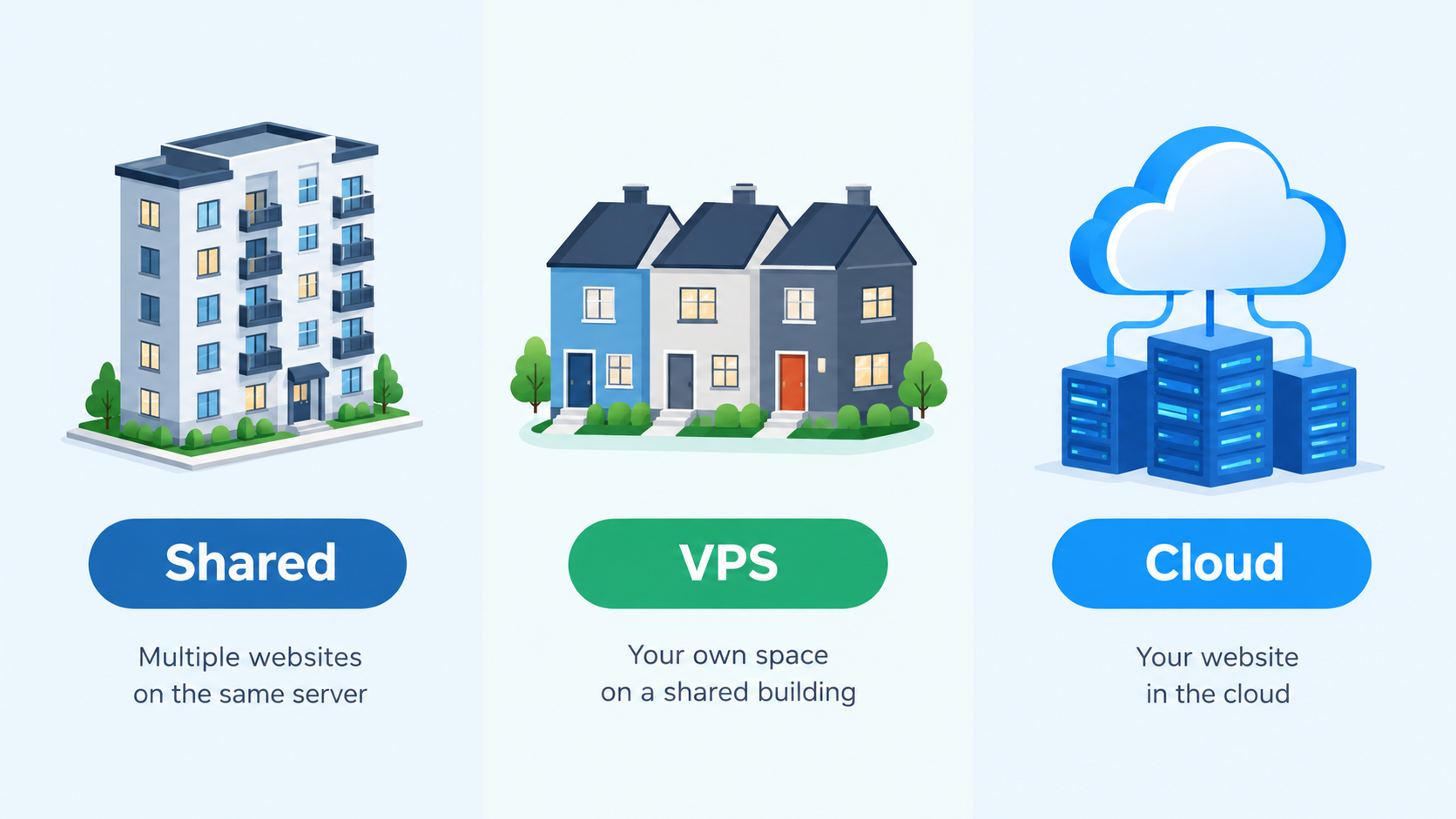
Think of hosting like housing.
Shared hosting is an apartment building. You have your own unit, but you share the water heater, the elevator, the parking lot with everyone else in the building. It’s cheap. It works fine most of the time. But if your neighbor throws a huge party (gets a traffic spike, runs a bad script, whatever), your water pressure drops too. You’re sharing resources with strangers, and you don’t get a say in who those strangers are.
VPS hosting (Virtual Private Server) is a townhouse. You still share the same building structure as other people, but you’ve got your own walls, your own utilities, your own space that nobody else touches. A neighbor’s problem generally stays a neighbor’s problem. You pay more for that privacy and stability, but you’re also on the hook for more of the maintenance.
Cloud hosting is more like renting a hotel suite that can instantly become a full floor if you need it. Instead of living in one physical unit, your site is spread across a network of servers. If traffic spikes, more resources kick in automatically. You pay for what you use, and the “building” (the physical hardware) is honestly irrelevant to you. It just works, but it usually costs more and can get more complex to manage.
None of these is “better.” They’re built for different situations. That’s the part most hosting reviews skip.
Something most articles don’t mention: it’s not really about traffic
Almost every hosting comparison tells you to pick a tier based on how much traffic you get. That’s part of it, but it’s not the main thing. The bigger factor is usually how much your site does, not how many people look at it.
A blog with 50,000 monthly visitors that just serves static pages can run fine on decent shared hosting. Meanwhile, a local bakery site with only 300 visitors a month, but with a custom online ordering plugin, live inventory syncing, and a chatbot running in the background, can choke on the same shared plan. Why? Because those extra processes eat up CPU and memory constantly, even when nobody’s on the site.
So before you pick a tier, ask yourself: does my site just show information, or does it constantly calculate, sync, or process things in the background? That question matters more than your visitor count.
Shared hosting: who this actually fits
Shared hosting makes sense if:
- Your site is under 10 pages and mostly informational (hours, services, contact info, maybe a blog)
- You don’t run a store, or you run a very simple one with under a few dozen products
- You’re not doing anything with real-time data, booking systems, or heavy plugins
- Your monthly traffic is under a few thousand visitors
- Budget matters more than speed right now
This covers a huge chunk of small businesses. Local service providers, single-location shops, personal brands, freelancers. If that’s you, don’t let anyone talk you into paying for more than this. It’s a waste of money.
The tradeoff: during slow periods (which most shared hosts have, especially budget ones), your site can lag. And if a neighbor on the same server gets hit with a traffic spike or a security issue, you can feel it too.

VPS: who this actually fits
VPS makes sense if:
- Your site has grown past the “just a few pages” stage and now runs a store, a membership area, or a booking system
- You’ve noticed your current shared hosting slowing down during busy hours
- You need more consistent performance and don’t want your site’s speed depending on what other websites are doing
- You have someone (in-house or a developer) who can handle a bit more technical setup, or you’re paying a managed VPS plan where the host handles that for you
This is the sweet spot for a growing business. Think a regional ecommerce shop doing a few hundred orders a month, a multi-location service business, or a site running several plugins that need to talk to each other constantly.
The tradeoff: VPS costs more, and unmanaged VPS requires someone who knows what they’re doing. If you go this route, get managed VPS unless you genuinely have IT support.
Cloud hosting: who this actually fits
Cloud hosting makes sense if:
- Your traffic is unpredictable or seasonal (think a tax prep service that gets slammed every March, or a retailer that spikes hard around the holidays)
- You run a large ecommerce operation with real inventory and payment processing under load
- Downtime would cost you real money, not just annoyance
- You’re planning to expand fast and don’t want to keep migrating hosting every year
This is not most small businesses. It’s the businesses that are already scaling or that have traffic patterns nobody can predict. If your slowest month and busiest month look wildly different, cloud hosting earns its price tag.
The tradeoff: it’s the most expensive option, and pricing can be less predictable since you often pay based on usage. If nobody on your team is watching that bill, it can creep up.
A quick way to check where you actually stand
Here’s something you can do today, no tech skills required. Pull up your website’s analytics (or ask whoever manages it) and look at two numbers:
- Your average monthly visitors
- How many “actions” happen on your site — form submissions, cart checkouts, bookings, logins
If both numbers are low, you’re probably fine on shared hosting, or you’re overpaying for something bigger. If your visitor count is moderate but the action count is high, that’s usually the VPS zone. If either number spikes wildly during certain seasons or events, that’s your cloud hosting signal.
Most business owners have never looked at it this way, because most hosting guides just tell you to compare visitor counts across vague ranges. But traffic without action is a very different load than traffic with constant transactions.
What over-hosting and under-hosting actually cost you
Being on the wrong tier isn’t just a mild inconvenience. It shows up in real numbers.
Under-hosted sites (a busy or plugin-heavy site stuck on cheap shared hosting) tend to load slower, which directly hurts conversions and search rankings. Google has been pretty open about page speed mattering for rankings, and customers don’t wait around for a slow page, they just leave.
Over-hosted sites are quieter but still bleeding money. A simple 5-page site on an expensive cloud plan might be paying $50 to $150 a month for capacity it will never touch. Over a few years, that’s thousands of dollars that could’ve gone toward marketing, better copywriting, or new photos.
Neither mistake is dramatic. That’s exactly why they go unnoticed for so long.
How this connects to the rest of your setup
Hosting doesn’t exist in a vacuum. It’s tied to everything else about how your site is built and what platform it runs on. If you’re still deciding between platforms, our breakdown of WordPress vs Shopify covers how the platform itself affects your hosting needs, since Shopify handles hosting differently than a self-hosted WordPress site.
If you’re weighing whether to build the site yourself or bring in help, our guide on DIY website vs hiring a web agency walks through where the real cost differences show up, hosting included.
And if you want a closer look at specific hosting companies rather than tiers, we compared the actual providers in Hostinger vs Bluehost vs GoDaddy for small business, which pairs well with this article since that one’s about brands and this one’s about the type of plan you buy from whichever brand you pick.
If your bigger question right now is what a full website project costs, including hosting, our website redesign cost guide and how much does a business website cost breakdown both lay out realistic numbers by project size.
If you want a starting point
For most small businesses just starting out or running a simple site, Hostinger’s shared and VPS plans are a solid, affordable place to begin, and you can grow into a bigger plan later without switching providers entirely. You can check current plans through our link here: Hostinger hosting plans.
The honest bottom line
There’s no universal “right” tier. There’s only the right tier for what your site actually does, right now, not what you hope it’ll do in three years. Start where your actual usage puts you, and move up when you actually outgrow it. Moving from shared to VPS later is a normal, easy step. Overpaying for cloud hosting for two years before you need it is money you don’t get back.
If you’re not sure which tier fits your traffic and how your site behaves, Omayik Digital can take a quick look and set it up right the first time, so you’re not guessing or overpaying. Get in touch here and we’ll walk you through it.
Leave a Reply