
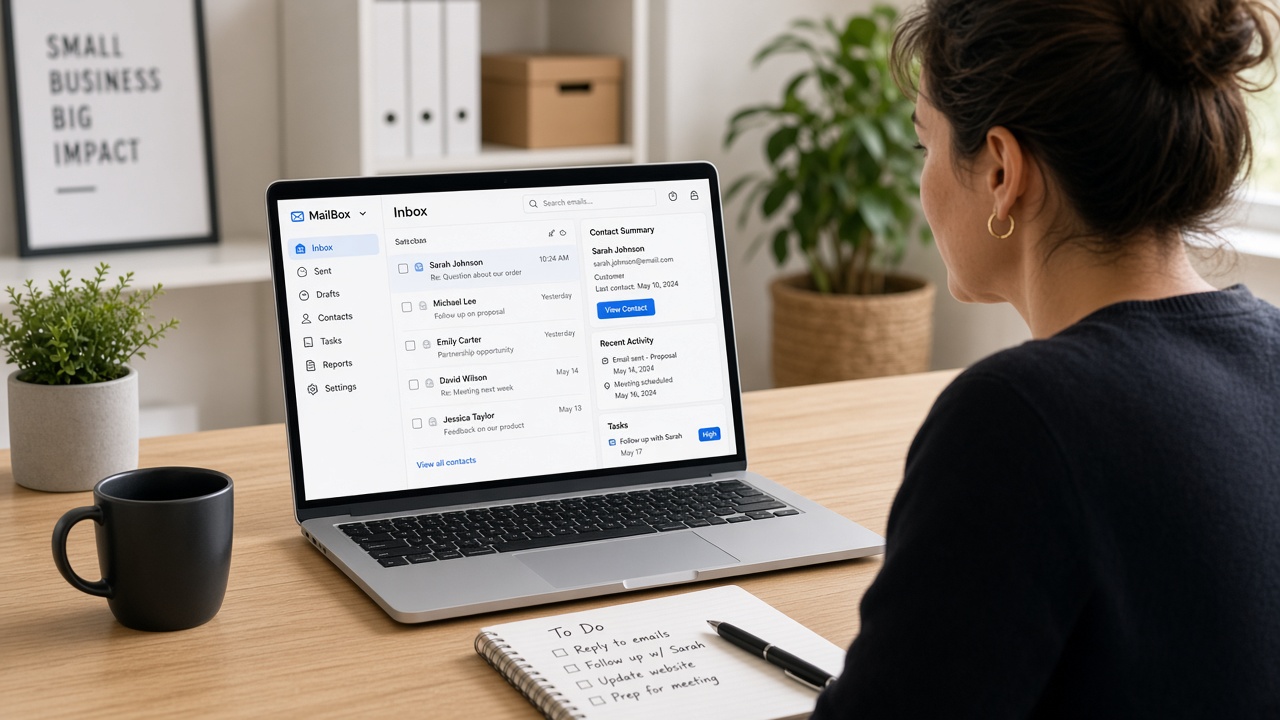
How to Automate Lead Follow-Up for Your Small Business (CRM and Email Edition)
Most small business owners lose leads not because they don’t care, but because they’re busy. Someone fills out your contact form on a Tuesday afternoon, and by Thursday you’ve forgotten to reply. That lead moves on. You never even knew you had a shot.
The fix is not working harder. It’s setting up a system that follows up for you, even when you’re on a job site, in a meeting, or asleep.
This guide walks you through the basics of CRM tools and email automation so your small business can follow up with every lead, every time, without adding more to your plate.
What Is a CRM and Why Does Your Small Business Need One?
CRM stands for Customer Relationship Management. In plain English, it’s a tool that keeps track of your leads and customers in one place.
Without a CRM, most small businesses run on sticky notes, spreadsheets, and memory. That works fine when you have five leads. It falls apart when you have fifty.
A good CRM lets you:
- See every lead and where they are in your sales process
- Set reminders to follow up at the right time
- Store notes from calls and emails
- Track which leads became paying customers
You don’t need an expensive enterprise system. Tools like HubSpot CRM (free), Zoho CRM, or even a well-organized Pipedrive account can do the job for most small businesses.
If you’re not sure where to start, the team at Omayik Digital LLC helps small businesses pick, set up, and connect the right CRM to their website and marketing tools.
The Problem With Manual Follow-Up
Here’s what usually happens without automation:
- Lead comes in
- You try to reply within a day or two
- Life gets in the way
- Lead goes cold
- You lose the deal
Studies have shown that leads are far more likely to convert when you follow up within the first five minutes of contact. The longer you wait, the harder it gets.
Manual follow-up also means every lead gets a different experience depending on how busy you are that week. Automation fixes that. Every lead gets the same fast, professional response, no matter what day or time they reach out.
How Email Automation Works
Email automation is exactly what it sounds like. You write the emails once, set up the rules, and the software sends them for you based on triggers.
A trigger is just something that happens. For example:
- Someone fills out your contact form
- A lead clicks a link in your email
- A new customer makes their first purchase
- A lead hasn’t responded in three days
When the trigger fires, the automation sends the right email at the right time.
A Simple Follow-Up Email Sequence for Small Businesses
Here’s a basic three-email sequence you can set up today:
Email 1 (send immediately): Thank them for reaching out. Let them know you received their message and will be in touch within one business day. Keep it short and human.
Email 2 (send 24 hours later if no reply): A gentle check-in. Share something helpful, like a link to your services page, a case study, or a short answer to a common question they might have.
Email 3 (send three days later if still no reply): A simple nudge. “Hey, just wanted to make sure my last message didn’t get buried. Happy to jump on a quick call if that’s easier.”
That’s it. Three emails. Takes you about an hour to write. And from that point on, every new lead gets that sequence automatically.
Tools like Mailchimp, ActiveCampaign, and ConvertKit all let you set this up with no coding required.
Connecting Your CRM to Your Email Automation
The real power comes when your CRM and email tool talk to each other.
When someone fills out a form on your website, the lead gets added to your CRM automatically. At the same time, the email sequence starts. If they reply, the automation pauses and the conversation moves to you. If they don’t, the system keeps following up on your behalf.
This is what people mean when they talk about a lead funnel. The system catches every lead, nurtures them with helpful content, and alerts you when they’re ready to talk.
If you need help connecting these tools to your small business website, that’s something the team at Omayik Digital handles as part of their web and marketing setup services.
What About Website Hosting?
Before any of this works, you need a fast, reliable website that doesn’t go down when traffic picks up. A slow site kills conversions before your automation even gets a chance to work.
If you’re still shopping for hosting, Hostinger is one of the most affordable options out there, especially for small businesses just getting started. You can grab a plan through this link and get a solid deal.
A faster website also helps your SEO, which means more leads find you in the first place. Omayik Digital offers website redesign and performance services if your current site needs a speed boost.
Common Mistakes Small Businesses Make With Email Automation
Sending too many emails too fast. Three emails over five days is reasonable. Eight emails in two days is spam.
Writing emails that sound robotic. Your automation should feel personal. Use the lead’s first name. Write like you’re talking to a real person, not sending a newsletter.
Not segmenting your list. A lead who asked about web design gets different emails than one who asked about digital marketing. Don’t send everyone the same thing.
Forgetting to test. Before you go live, send yourself through the sequence. Make sure the timing is right, the links work, and nothing looks weird on mobile.
How Omayik Digital Can Help
Setting all this up from scratch takes time. Most small business owners would rather be running their business than figuring out which tools to connect to which.
Omayik Digital LLC helps small businesses build their entire lead follow-up system, from the CRM setup to the email sequences to the web forms that capture leads in the first place.
They also offer digital marketing services that work alongside your automation to bring in more leads, so you have more people to follow up with.
You can check out their full services page or reach out directly to talk through what your business needs.
Quick Recap
Getting your lead follow-up on autopilot doesn’t have to be complicated. Here’s the short version:
- Get a CRM to organize your leads
- Write a simple 3-email sequence for new inquiries
- Connect your website forms to your CRM and email tool
- Let the system follow up while you focus on doing the work
Once it’s set up, it runs in the background every single day. You stop losing leads to slow replies. You start closing more deals without more effort.
And if you want someone to build the whole thing for you, Omayik Digital LLC is a good place to start.
Leave a Reply