
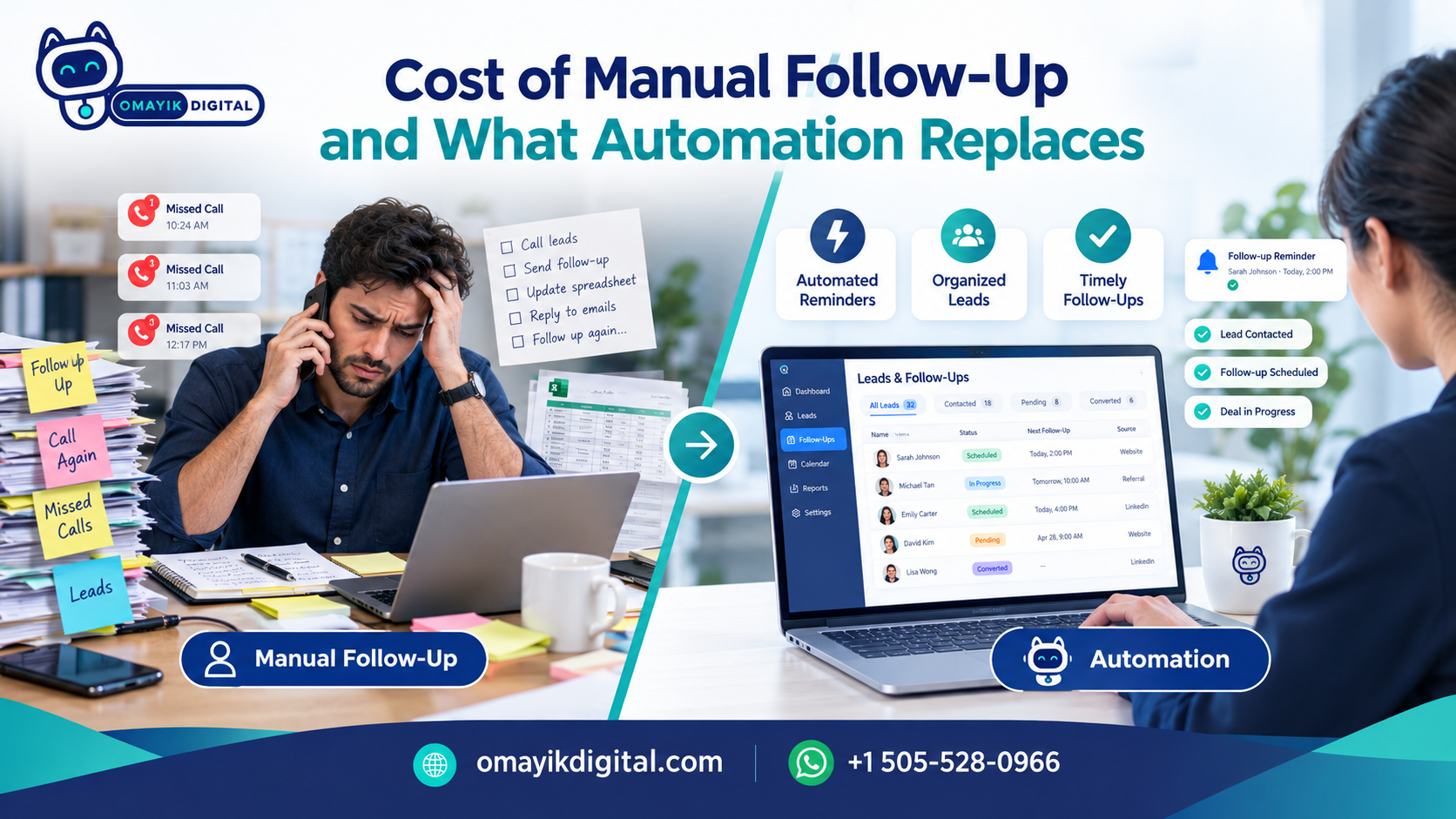
The Real Cost of Manual Follow-Up (And What Automation Actually Replaces)
Most leads aren’t lost because of bad marketing. They’re lost because nobody followed up in time.
Think about the last time you filled out a form or sent a DM to a business. You wanted an answer. If you got one in ten minutes, you were happy. If you got one two days later, you had probably moved on, or already talked to someone else.
Your customers act the same way. And if leads reach you through forms, phone calls, and social DMs, there’s a good chance some of them are going cold right now while you’re busy doing the actual work of running your business.
This article breaks down what slow follow-up really costs, what email and SMS automation does day to day, and where it does not help. No magic claims. Just what works.
What manual follow-up really costs
The cost doesn’t show up on any invoice, which is why it’s easy to ignore. You don’t see “lost lead” as a line item. You just see a quiet month and wonder if you need more ads.
Here is where the money leaks out.
1. The first-hour gap. A person who just reached out is at their most interested right now. That interest fades fast. Research on lead response has pointed the same way for years. A well-known Harvard Business Review study of lead response times found that companies that replied within an hour were far more likely to have a real conversation with a decision maker than companies that waited longer. Exact numbers vary by industry, but the pattern is steady: faster wins.
2. Leads that arrive when you’re not there. A form filled out at 9 PM. A DM sent on Sunday. A missed call during a job. If your follow-up depends on you being at your desk, anything outside your working hours waits until you’re back. By then, the person has often booked with someone else.
3. The “I’ll do it later” pile. Even when you mean to follow up, you get busy. Notes get lost. A lead sits in your inbox for four days. Then it feels awkward to reply, so you don’t.
4. Your own time. Writing the same “Thanks for reaching out” message 15 times a week adds up. That’s time you could spend on the work that actually earns money.
5. Inconsistent follow-up. Some leads get three touches. Some get none. It depends on how your week went, not on how good the lead was.
If you want a rough number for your own business, try this. Count how many leads came in last month. Guess how many got a reply within an hour. Then multiply the gap by your average sale. It’s not exact, but it’s usually a number that gets your attention.
What automation actually does (day to day)
Let’s be plain about this. Email and SMS automation is not a robot running your business. It’s a set of simple rules that run on their own. If this happens, do that.
Here is what that looks like in a normal week.
It replies right away. Someone fills out your form. Within a minute, they get a text or email: “Got it. Here’s what happens next.” That one message tells them you’re real, you’re responsive, and they’re not talking into a void.
It sends the same helpful info every time. Pricing ranges, a link to book a call, a short FAQ, directions. Things you would type out by hand anyway.
It follows up when the lead goes quiet. If someone doesn’t reply, the system sends a short nudge after a day, then another after a few more. You write these once. They go out as needed.
It sends reminders. Appointment tomorrow? A text goes out. This alone cuts no-shows for many service businesses.
It tags and sorts leads. Who asked about what, who clicked a link, who booked, who didn’t. So when you do step in, you know the context.
It hands off to a person. When a lead replies with a real question, or books, or shows buying signals, the system tells you. That is where you come in.
That last point matters most. Good automation doesn’t try to close the sale. It makes sure the lead is still warm when a person shows up.
What automation does not replace
This is the part many articles skip, so let’s cover it.
- Your judgment. A system can’t tell when a customer is upset, confused, or about to buy. You can.
- Real conversations. Automation starts the chat. A person should finish it, especially for higher-priced or complex services.
- A good offer. If your service isn’t a fit for the lead, a fast reply just helps them say no faster.
- Clean contact data. If your lead info is messy or incomplete, messages will go to the wrong place or fail.
- Trust. People can tell when a message is lazy. Automation should sound like you, not like a template from 2012.
The core idea is simple. Automation isn’t about replacing a person. It’s about not losing the lead in the first hour.
A real example: Lisa K.’s salon
Lisa K. runs a salon. Most of her clients message after hours, when they finally have a minute to think about booking. Before, those messages sat until the next morning. By then, some had booked elsewhere.
She added a chatbot to answer questions and book appointments automatically after hours. Now a client who messages at 10 PM can pick a time, get a confirmation, and wake up with the appointment already on the calendar. Lisa doesn’t have to touch it. She just sees a fuller schedule in the morning.
The point isn’t that a bot is smarter than Lisa. It’s that the bot is awake when she isn’t. Her clients still come in and talk to her, her stylists, and her team. The chatbot just made sure nobody walked away because the door was locked.
(Editor note: if you have Lisa’s real numbers, such as extra bookings per month or reduced no-shows, add them here with her permission. Specific results make this section stronger. Don’t publish numbers you can’t back up.)
If you’re weighing a chatbot against other options, our breakdown of AI chatbot vs live chat vs contact form for small business can help you pick the right fit.
How to set up follow-up that works (a simple starting plan)
You don’t need a huge system. Start small and build.
Step 1: Map where leads come from. List every entry point: website forms, calls, DMs, WhatsApp, email. You can’t fix what you haven’t counted.
Step 2: Set one rule for response time. For example: every new lead gets a reply within five minutes, even if it’s automated. Pick a number you can actually hit.
Step 3: Write three messages.
- An instant “thanks, here’s what happens next” message.
- A gentle follow-up after one day if they haven’t replied.
- A final check-in a few days later.
Keep each one short. Write like you talk.
Step 4: Decide when a human takes over. Is it when they reply? When they click a booking link? When they mention price? Make the rule clear so no hot lead sits unseen.
Step 5: Connect your tools. Your form, your CRM or spreadsheet, your email, and your texting platform should talk to each other. If they don’t, you end up copying data by hand again. This is where API integration work usually comes in.
Step 6: Check it every month. Look at reply rates, bookings, and unsubscribes. Fix what’s weak. Retire what’s ignored.
Common mistakes to avoid
Sending too much, too fast. Five messages in two days feels like pressure. Space them out.
Sounding like a robot. If your first message reads like legal text, people tune out. Use names. Use plain words.
Skipping consent. If you text people in the US, you need their permission, and carriers expect business texting to be registered. Rules also apply for email, and other countries have their own. Get opt-in, include an easy way to stop messages, and check the current rules for your location or talk to a legal professional. This isn’t something to guess on.
No human backup. If the bot can’t answer and no one is watching, you’ve just built a faster way to frustrate people. Always give a path to a real person.
Setting it and forgetting it. Offers change, prices change, hours change. Old automated messages with wrong info cause real problems.
Automating a bad process. If your booking steps are confusing, automation will just make the confusion faster. Fix the process first.
Treating every lead the same. A person asking about a $50 service and one asking about a $5,000 project shouldn’t get identical follow-up. Use simple tags to split them.
Tips that make a real difference
- Reply from a real name. “Hi, it’s Sam from [Business]” beats “Dear Customer.”
- Ask one question at a time. “What day works best?” gets more replies than a long form.
- Use SMS and WhatsApp where your customers already are. Many people reply to a text faster than an email.
- Make booking one click. The fewer steps between interest and appointment, the better.
- Send follow-ups at sensible hours. A text at 2 AM isn’t helpful, even if the system can do it.
- Test your own flow. Fill out your own form. See what you get. If it feels off to you, it feels off to them.
Is automation right for your business?
It’s probably a good fit if:
- You get leads from more than one place and can’t track them all.
- You’re often away from your phone or desk when leads arrive.
- You send the same replies over and over.
- Your calendar has gaps you can’t explain.
It may not be your first priority if you get only a few leads a month and already reply to every one within minutes. In that case, you may get more from better traffic. Our work in digital marketing, including organic and paid marketing, can help bring in leads once your follow-up is solid.
Also, if your form or landing page is the weak spot, it’s worth looking at landing page design before adding more messages on top.
What this can look like for your business
Every business has a different mix of forms, calls, DMs, and busy hours. A salon needs something different from a contractor, and a law office needs something different from an online store. That’s why we start by looking at how leads actually reach you, then build the simplest setup that catches them.
You can see how we work on our process page, or look over our pricing plans to get a sense of where to start.
Curious what this would look like for your business? Ask us.
No pitch, no pressure. Tell us where your leads come from and where they get lost, and we’ll tell you honestly what would help and what wouldn’t.
- Message us on WhatsApp: +1 505 528 0966
- Or reach out through our contact page
FAQ
Will automation make my business feel less personal? Only if it’s done poorly. Used well, it handles the first reply and the reminders, so you have more time for real conversations.
How fast should I reply to a new lead? As fast as you can. A good goal is within five minutes using an automatic first reply, then a personal follow-up as soon as you’re able.
Is SMS better than email? Neither wins every time. Text often gets quicker replies, and email works better for longer details. Many businesses use both.
Do I need a chatbot? Not always. If most of your leads arrive after hours or ask the same questions, it can help a lot. If not, instant email or text replies may be enough.
Is this legal? Yes, when you follow consent and opt-out rules for the places you contact people. Rules differ by country and by channel, so check yours before you send.
Leave a Reply